✦ macOS app • AI-assisted web creation • Apple App Store ready

Build cinematic websites at the speed of thought.

Web360 Studio is Gaylord Sinclair’s next-generation desktop builder for people who want more than a plain editor. It combines visual workflow, AI-guided page creation, structured editing, live preview, checkpoints, and smart control into one sleek studio so you can move from concept to polished launch faster.

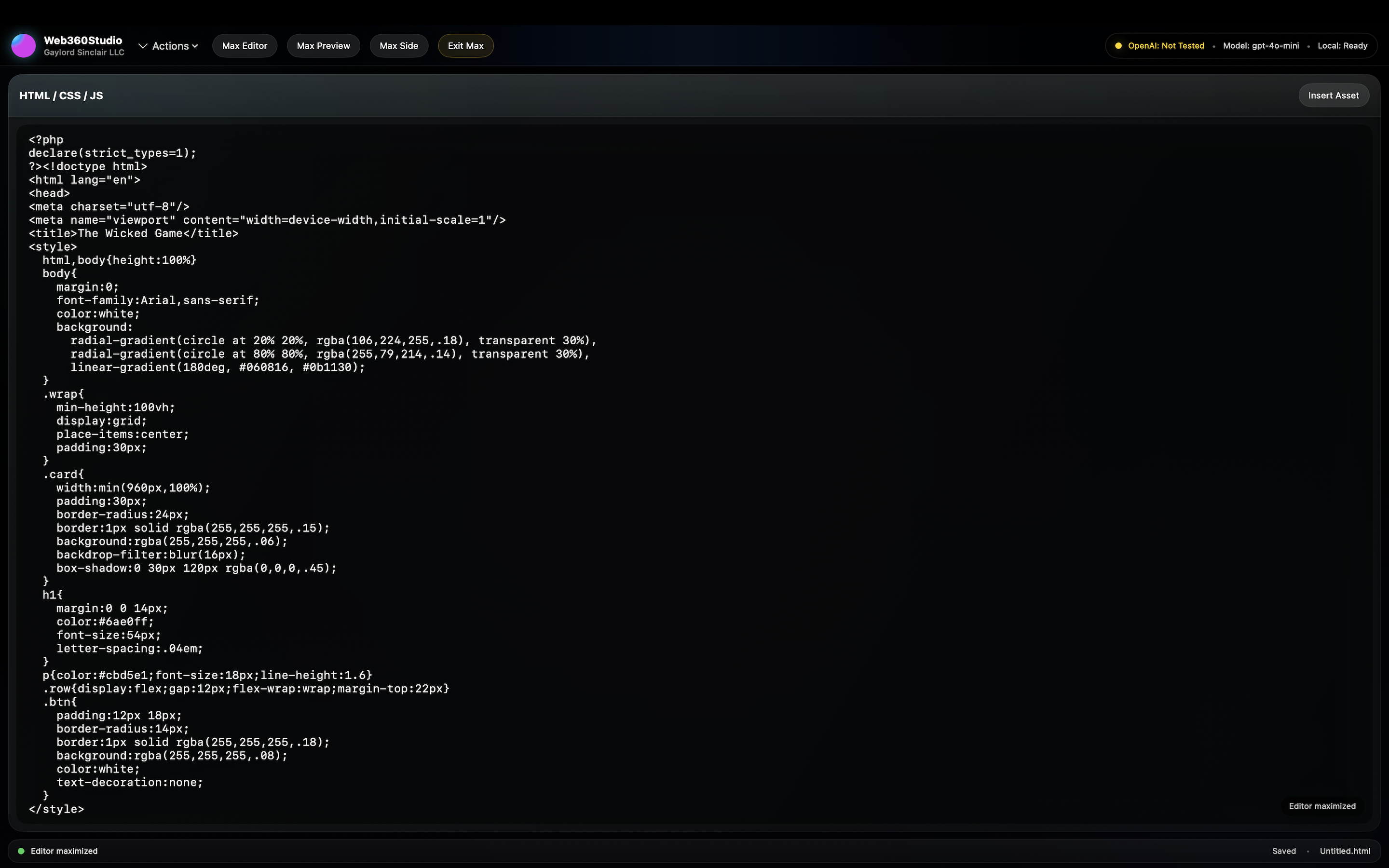
AI + Direct Code Generate HTML with prompts, then refine every detail by hand.
Live Creative Flow Preview, revise, checkpoint, and inspect without breaking momentum.
Mac-Native Focus Built for a desktop-first publishing experience instead of a cluttered browser stack.
Hidden menu: press I
Live editor + visual intelligence
Create pages visually while AI shapes layout, structure, and direction.

Perfect for landing pages, promo sites, art sites, product pages, author pages, and rich branded experiences.

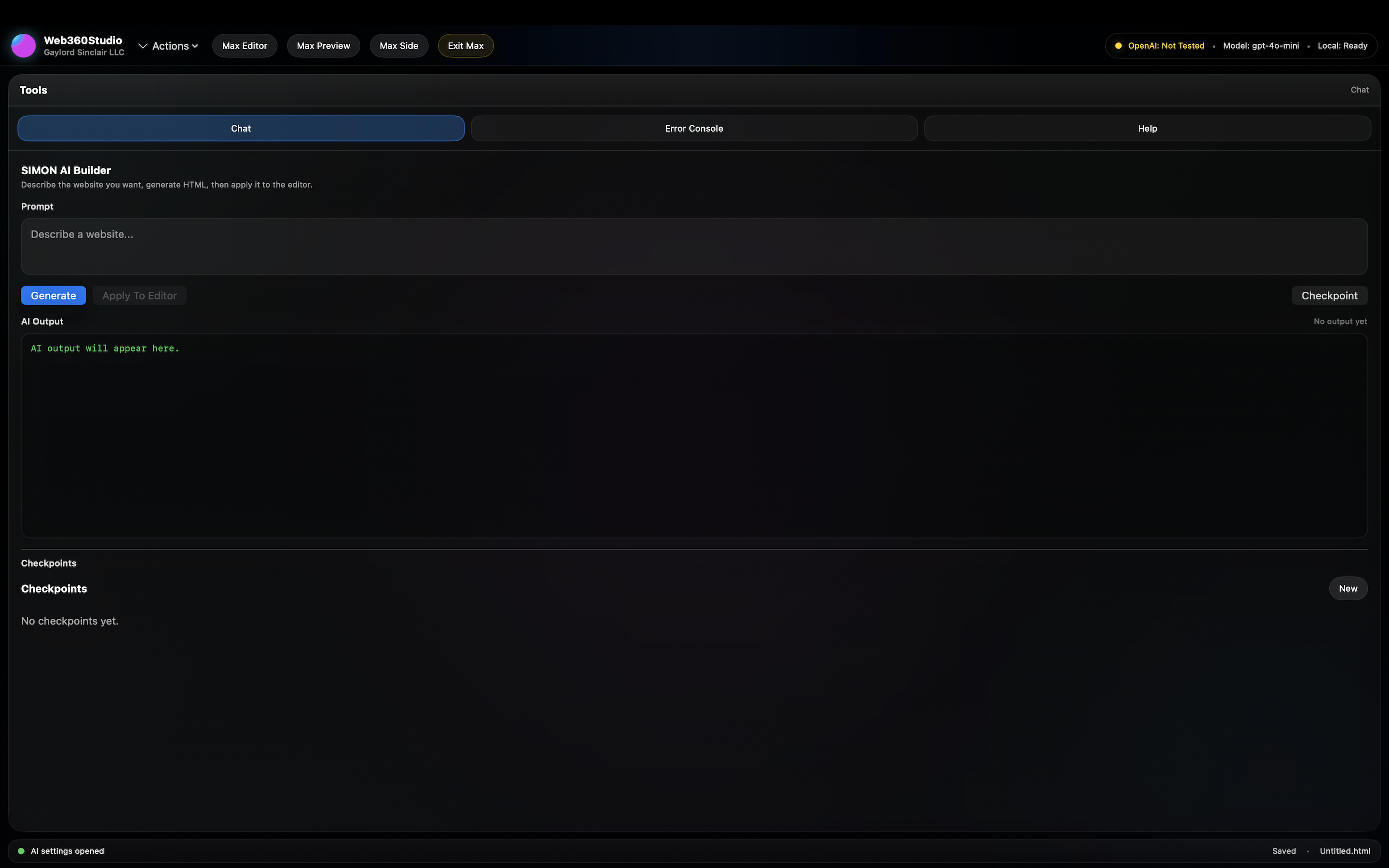
AI Panel

Prompt-driven HTML generation, tone control, and guided page creation.

Inspector

Review structure, selection context, and visual organization as you edit.

Checkpoints

Save working states before major changes and recover instantly.

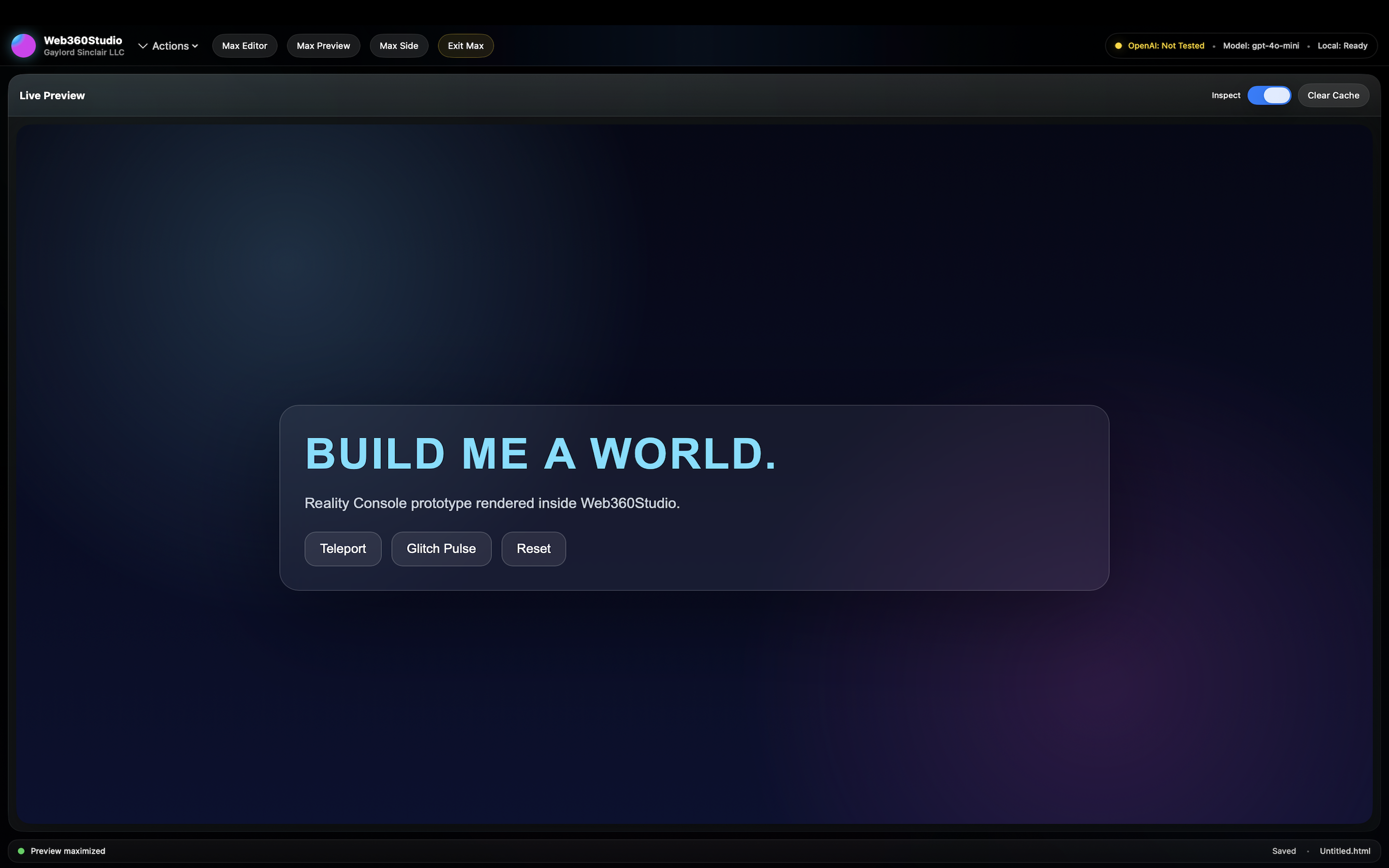
Preview Engine

See the page breathe and evolve as each revision lands.

About Web360 Studio

Web360 Studio is built for creators, developers, publishers, consultants, and operators who want to build websites quickly without giving up control. It blends AI generation with real editing power, making it easier to create polished pages while keeping full ownership of structure, content, and final output.

01

What it is

A macOS web production studio combining manual editing, AI-assisted generation, live preview thinking, and version-safe workflow.

02

Who it helps

Ideal for landing pages, author sites, book launches, product pages, portfolio pages, branded microsites, and rapid prototypes.

03

Why it stands out

It gives you speed from AI, clarity from visual preview, and safety from checkpoints while preserving direct access to your code.

What you can do in Web360 Studio

Use Web360 Studio as a focused environment for creating, refining, and publishing high-impact web experiences.

AI

Generate HTML with AI

Create full sections, page structures, and design directions from prompts, then refine them manually.

PX

Preview while you build

Catch visual and structural issues faster by seeing the page update as your edits evolve.

CP

Save checkpoints

Protect working versions so you can test bold changes without losing progress.

IN

Inspect structure

Use side tools to stay organized while editing content, layout, and selected elements.

FS

Open and save local files

Work directly with your page files and keep the publishing path simple and transparent.

LG

Troubleshoot with logs

Track AI status, generation flow, and connection feedback more clearly.

TN

Guide tone and topic

Steer the AI around style, subject, brand mood, and page intent for more usable results.

UI

Stay in one studio

Keep editing, preview, checkpoints, and AI support in one sleek desktop workflow.
Screenshots and cinematic interface previews

This section is wired for local image assets. Keep the filenames below or update the paths to match your uploads.

Screenshot 1 Web360 Studio main editor screenshot
Add asset: assets/screenshots/web360-shot-1.jpg

Suggested image: full editor with preview and AI panel visible.

Screenshot 2 Web360 Studio tools and checkpoints screenshot
Add asset: assets/screenshots/web360-shot-2.jpg

Suggested image: checkpoints, inspector, or side tools.

Screenshot 3 Web360 Studio AI generation screenshot
Add asset: assets/screenshots/web360-shot-3.jpg

Suggested image: prompt-to-page generation or live render result.

Two feature reels

This cinematic version uses only two reels, as requested. Add your MP4 assets and the page will load them inline.

Reel 01
Add reel asset: assets/reels/web360-reel-1.mp4

Use for your opening promo reel or a cinematic studio overview.

Reel 02
Add reel asset: assets/reels/web360-reel-2.mp4

Use for AI prompt-to-page generation, preview flow, or checkpoint recovery demo.

Advantages of Web360 Studio

These are strong selling points for your website, social promo, App Store marketing, and download page copy.

Move faster from idea to finished page

  • Use AI to skip the blank-page problem.
  • Build layouts faster without losing creative control.
  • Keep everything inside one cleaner desktop workflow.

Keep control of the final result

  • Edit the underlying code directly instead of being boxed into a rigid builder.
  • Guide the AI with your tone, topic, and page goals.
  • Use checkpoints so experimentation is safer.

Designed for real creators and operators

  • Great for book pages, portfolios, promo pages, art websites, and branded launches.
  • Better for fast execution than juggling multiple disconnected tools.
  • Supports practical publishing, not just mockups.

Clearer AI workflow visibility

  • Logs and connection feedback improve troubleshooting.
  • Prompt-guided generation makes intent easier to manage.
  • The native app experience can feel more focused and stable than browser-only tools.

Hotkeys and hidden info menu

The cinematic landing page still includes the hidden info menu and keyboard shortcuts for a cleaner presentation.

Press I

Opens or closes the floating information panel from anywhere on the page.

Click the “i” button

Access quick guidance, asset notes, and setup reminders without cluttering the main layout.

Escape closes the panel

Instantly dismiss the floating panel and return to the cinematic view.

How to obtain an API key

If you want AI generation inside Web360 Studio, you typically need an API key from the AI provider your app supports. Keep the key secure and never expose it publicly.

1

Create or sign in to your AI platform account

Open the provider dashboard for the model your app uses and sign in with a developer or billing-enabled account.

2

Generate a new secret API key

Create a new secret key in the platform’s API or developer area and store it somewhere safe.

3

Paste the key into Web360 Studio settings

Open the app’s AI settings panel and save the key securely so generation can run inside the studio.

4

Test the connection

Run a short prompt and confirm that generated HTML returns successfully.

API key safety notes

  • Never place your secret key directly in public website code.
  • Do not share screenshots that expose the full key.
  • Store keys in secure app settings or server-side configuration.
  • Rotate the key if you believe it has been exposed.

For a public marketing page, it is better to explain the setup process rather than show any real credentials.

Download Web360 Studio

Promote the app with a strong direct App Store call-to-action and clear benefit summary.

Available on the Apple App Store

Download Web360 Studio from the Apple App Store and start building faster with AI-assisted web workflows, live preview intelligence, version checkpoints, and a more focused native desktop experience.

 Download on the App Store

Replace the button link with your live App Store URL when available.

Best uses for the app

  • Landing pages and promo pages
  • Author, art, and portfolio websites
  • Microsites, campaign pages, and product pages
  • Rapid HTML prototyping with AI support
  • Desktop-based editing with checkpoint recovery

Quick FAQ

Use this section to answer the most common questions before visitors ask them.

Does Web360 Studio replace coding?

No. It accelerates coding and page production while still letting you control the final HTML and design.

Can I use my own content and style?

Yes. The app works best when you bring your own brand tone, page goals, layout direction, and content.

Do I need an API key?

Usually yes for AI features, unless your deployment uses a different service configuration. The page above explains the standard setup path.